
YouTube playlist downloaders offer users to download multiple videos at a time from the famous and well-known YouTube platform. The users can save the playlists offline while some tools also offer the users to create their playlists. There are several tools that allow the users to download the videos in various formats efficiently in high quality and save their time. Let's see the list.
1) 4K Video Downloader
Link- https://www.4kdownload.com/
4K Video Downloader offers to download the YouTube playlists along with or without subtitles as per the choice of the user wish upto 4K resolution on their PC, Mac, and Linux devices for future use.

Highlights:
- Offers 3D and 360-degree videos.
- Downloading and converting speed is faster.
- The user only needs to copy the URL from YouTube and paste it on the application.
- No third-party ads.
2) SnapDownloader
Link- https://snapdownloader.com/
SnapDownloader application also offers to download and save the playlists, videos, and VR Videos from the YouTube application or website in MP3 format on the devices as per choice of the user.

Highlights:
- 900+ websites are supported.
- User can store YouTube playlist hassle-free.
- Unlimited videos can be downloaded.
- Users can set the time for the downloads to run automatically.
3) iTubeGo
Link- https://itubego.com/
iTubeGo is an application allowing the users to download the videos available on 10,000 websites including Facebook, Instagram, TikTok, Vimeo, SoundCloud, YouTube in either in their original quality or any available format.

Highlights:
- Offers to download the subtitles along the video as per the choice of the user.
- Allows multiple downloads synchronously.
- More than 40 file formats are available for download.
- Supports 10,000 sites with high-quality videos.
- Currently available for Windows and Linux.
4) VideoProc
Link- https://www.videoproc.com/
VideoProc is a tool, that comes with one mouse click customizable features which permit the user to download and save the videos on their devices with ease. The users can convert media files such as YouTube videos into more than 420 audio formats along with adding media cover, artist, title, and more.

Highlights:
- Offers to find the subtitle files online for TV shows and movies.
- Supports more than 1000 websites for downloading video playlists.
- Enables the proxy server for downloading videos.
- Supports various formats such as MP4, MP3, iPhone.
- Currently available for Windows and Mac.
5) By Click Downloader
Link- https://www.byclickdownloader.com
By Click Downloader is a popular playlist downloader that comes with advanced features.

Highlights:
- Playlists or videos from different sites can be downloaded.
- Videos can be downloaded in various resolutions such as 1080p, 720p, 4K, and 8K.
- YouTube videos are detected automatically by users.
6) WinX YouTube Downloader
Link- https://www.winxdvd.com/
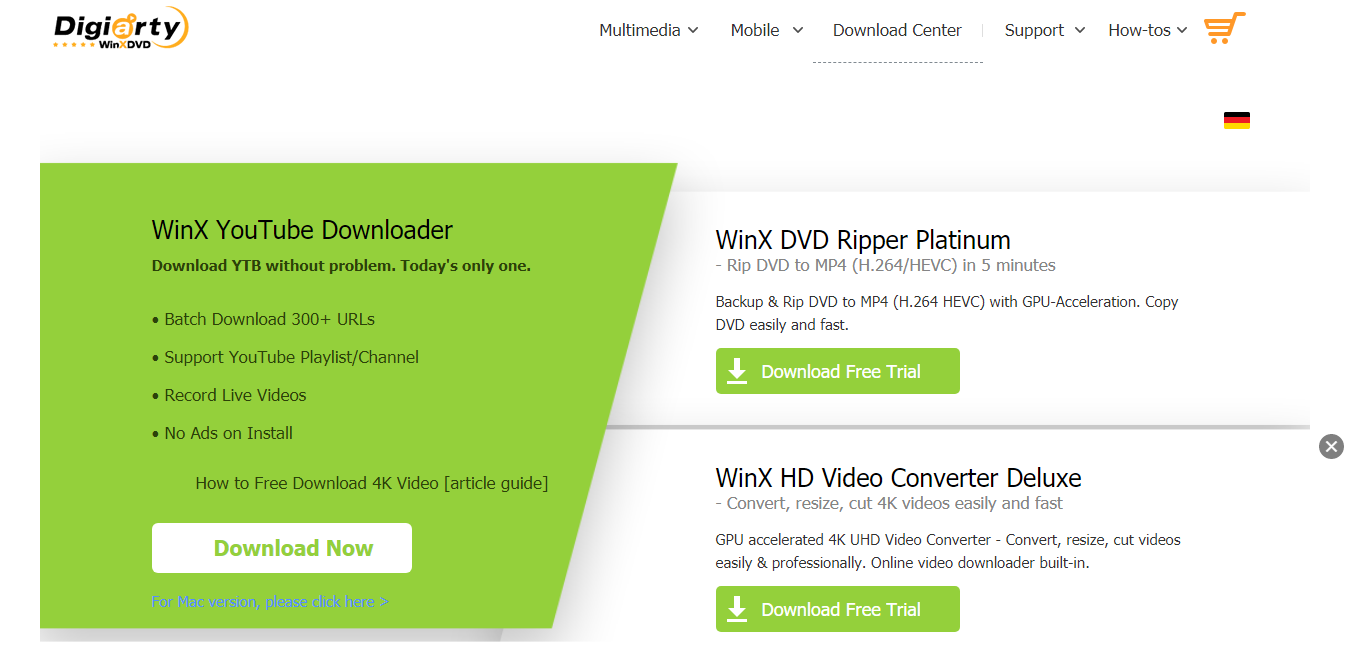
WinX YouTube Downloader is an application available on Windows and Mac OS for free in six interface languages- English, German, Spanish, French, Chinese, and Japanese. This application allows the user to download the YouTube videos in audio formats such as MP4, AVI, 3GP, MOV, MP3, WAV, FLAC.
Highlights:
- Users can download videos with a resolution of up to 8K quality according to their wish.
- The "Watch Later" video playlist can also be downloaded.
- Users can also download multiple videos from the application.
- Currently available on Windows and Mac.
7) ClipGrab
Link: https://clipgrab.org/
ClipGrab is a tool available on Windows, Mac, and Linux for downloading YouTube videos to MP3 from websites such as Facebook, Vimeo, Dailymotion, etc. This tool converts clips in just one click and offers them to download in various formats. The users can download the videos from YouTube to audio format.

Highlights:
- Supports many websites like Youtube, Facebook, and Vimeo.
- Users can download the entire YouTube playlist with just one click.
- Users can download the playlist in various available formats according to their wish
- Currently available on Windows, Mac, and Linux.
8) DVDVideoSoft
Link- https://www.dvdvideosoft.com/
DVDVideoSoft is software for downloading videos having good sound quality and save them on their devices. The users can download the files in MP3 and choose the quality according to their choice up to a maximum to 320kbps. The users can even choose to download multiple videos synchronously.

Highlights:
- Users can save multiple videos synchronously.
- The videos can be saved in original quality by the user.
- The links available in other text files can also be opened by the users.
- Currently available for use on Windows, Android, and Mac.
9) aTube Catcher
Link- https://www.atube.me/
aTube Catcher supports exporting videos from YouTube, Dailymotion, Metacafe, and other video-sharing sites to various devices. It comes with a built-in MP3 downloader and a PC screen recorder.

Highlights:
- User-friendly interface.
- Users can download playlists in various available formats such as WMA, MOV, WMV, and OGG.
- Users can save the playlists on their mobile devices or computer.
- Supported platforms: Windows.
10) FastestTube
Link- https://kwizzu.com/
One of the fastest YouTube playlist downloaders is FastestTube. It also removes ads from the videos.

Highlights:
- It doesn’t allow the clips to play automatically.
- Supports Opera, Safari, Chrome, Internet Explorer, and Firefox internet browsers.
- Removes the annotation from videos if the user desires.
- Currently available on the web.
11) Videoder
Link: https://www.videoder.com/
Videoder playlist downloader allows the users to create their video collection playlist to download.

Highlights:
- Supports more than 50 websites.
- Allows multiple files to download synchronously.
- Offers a tool to detect the links.
- Allows the customization of various themes.
- Currently available on
- Windows, Mac, and Android.
Conclusion
The above-listed applications are available for the users to use for Android Emulations and enjoy running the Android applications right from their PC.



