

If you get the following error while running MySQL Workbench in Mac OS or your Apple machine:
“MySQLWorkbench.app” can’t be opened because Apple cannot check it for malicious software.
Then you are at the right place. We have a simple solution that may work for you if you have just downloaded MySQL Workbench and are trying to open/run it.
How to make MySQL Workbench in Mac?
The reason behind the MySQL Workbench client not working can be many. It can be because your macOS version is not compatible with the version of the Workbench that you downloaded, or maybe because the version of Python installed on your macOS is not compatible with the version of Workbench you have downloaded.
But, before you dive into looking for the complex issues, try this simple solution, and chances are that Workbench will start working.
Open System Preferences >> Security & Privacy, and you will see a message in the Window saying under the title "Allow apps downloaded from", and you will see that macOS is preventing MySQL Workbench from opening up because it wasn't downloaded from a trusted and identified developer source.
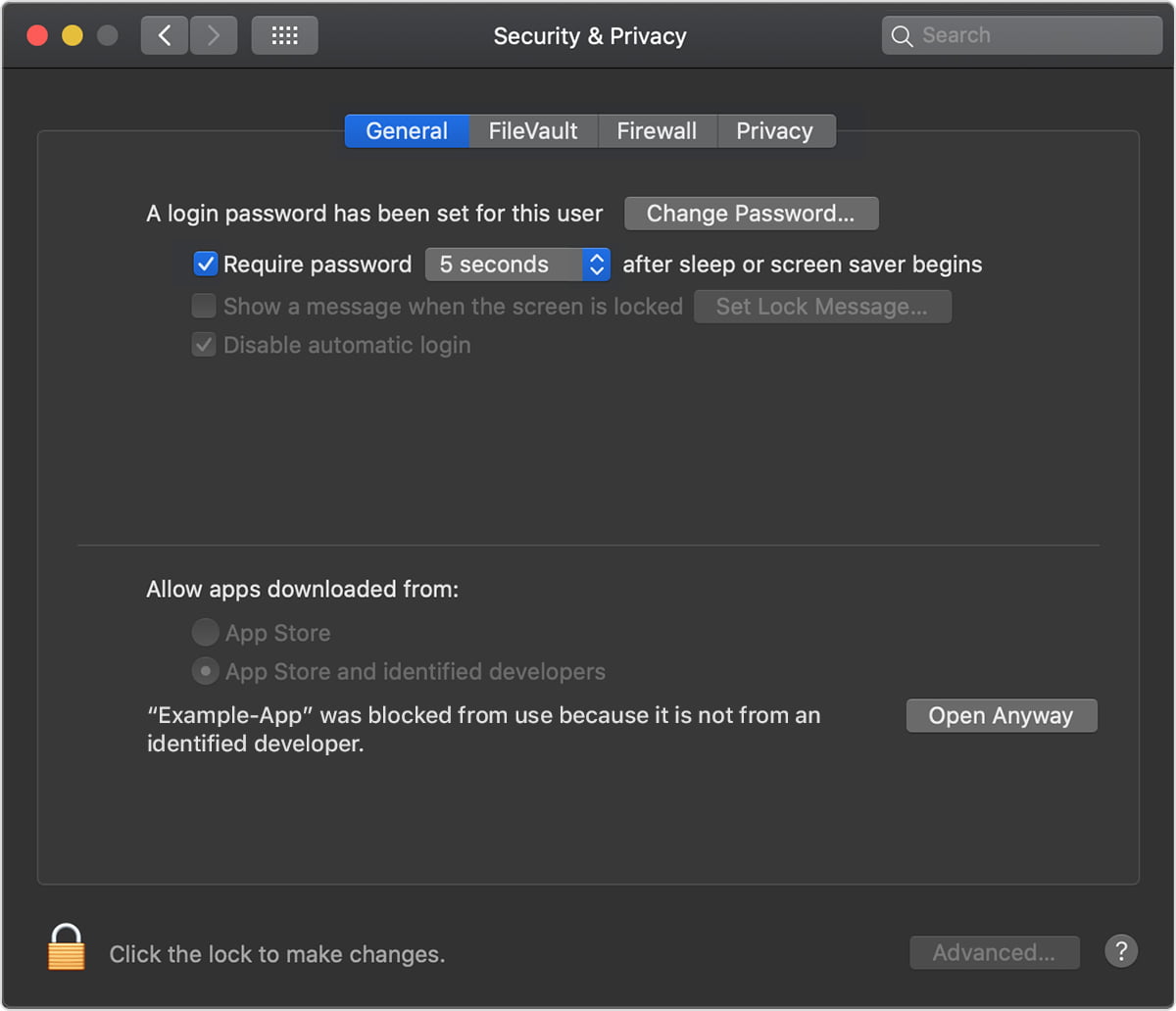
Click on the Open Anyway button, and then try opening MySQL Workbench again and it should work.
Conclusion:
Because of enhanced security in macOS, the applications downloaded from sources other than the official App stores are sometimes not allowed to open and it happens with MySQL Workbench too.



