Working with Git Repositories
Whenever we start a project, we will need to store all files in a repository. So let's start by first creating a repository. We recommend working in a separate, dedicated path for all of your work.
To create a repository, use the $ git init command. Go on type the following command to create your first repository.
$ git init my_first_repository
You will get a message "Initialized empty Git repository in" and the path of your repository. To check, type in ls and sure enough, there's your first repository.
Go into your repository and type ls.
Hmmm. There's nothing there. Recall that we discussed about hidden files when we talked about the features of a VCS. Let's check out those hidden files by typing in $ ls -a which lists hidden files.
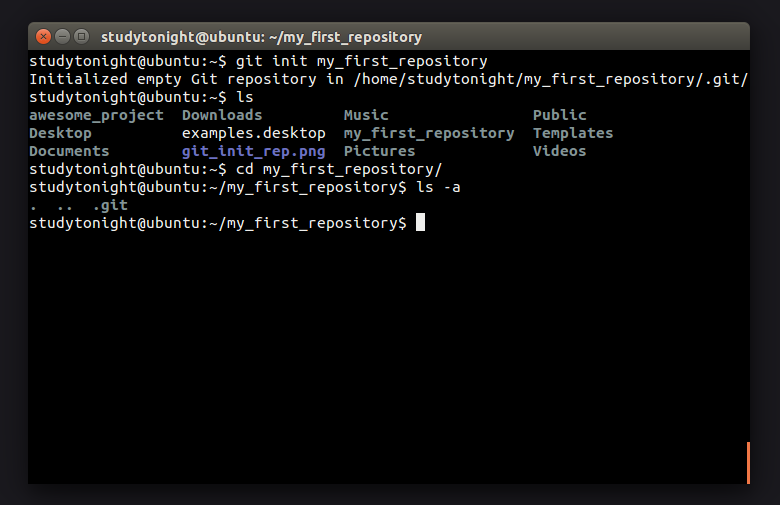
The .git folder is your local repository and it stores all history and version control information.
But what if you are already working on your awesome project and did not initialize a git repository first. Don't worry. Go to that directory, and type in $ git init without the name of the repository. Git will assume that you need to make a repository for this project directory. If you now type in $ ls, you will see that wonderful little git folder sitting there waiting for you to start working on your awesome project.
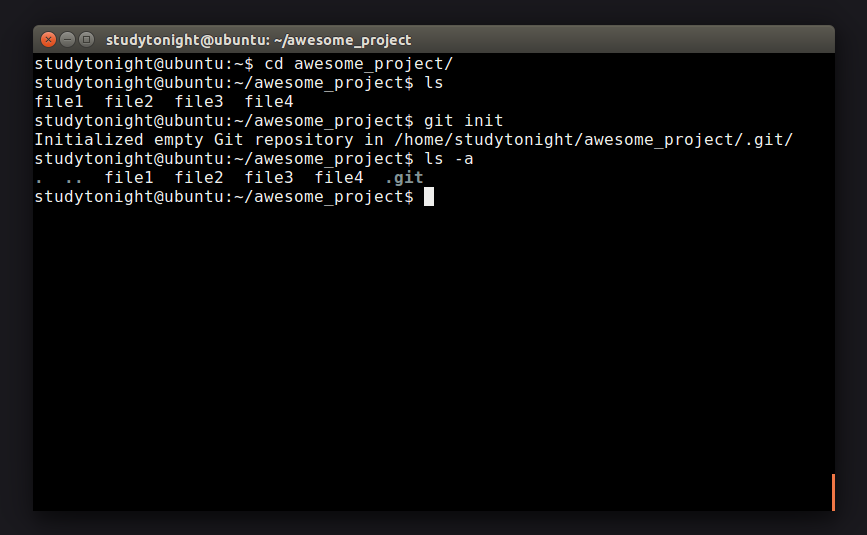
The name of the repository is not as essential as the .git directory inside. Renaming your repository is as simple as using the mv command.
$ mv my_first_repository awesome_project
Removing a repository is easy but deadly. Think twice before taking such a step. If you do decide to go ahead and remove your repository, deleting the .git directory will do the job for you.
$ rm -r awesome_project/.git
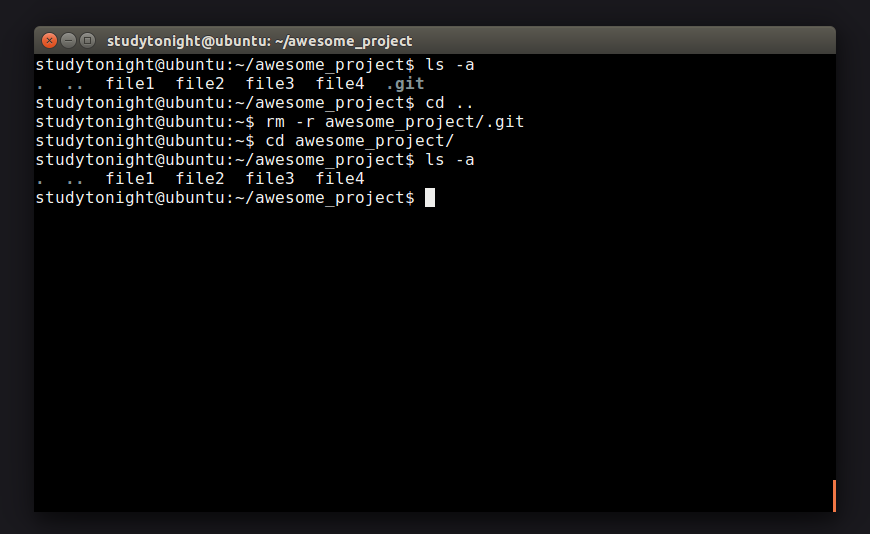
Done. Yes, it's that simple. Now that you know enough about repository let's learn about committing changes to them.
