JSON Response from REST Request call
Conversion from object to XML is done through JAXB annotation. We have annotated all the resources class with @XmlRootElement, which internally converts Java to XML. This is already implemented in Java, so we do not have to do much.
But conversion from object to JSON cannot be done implicitly by Java. So we need to add an extra library called, moxy, as dependency in our project's pom.xml file.
<dependency>
    <groupId>org.glassfish.jersey.media</groupId>
    <artifactId>jersey-media-moxy</artifactId>
    <version>2.25.1</version>
</dependency>
Once you add the dependency in pom.xml file, and build the project, moxy jar file will be inlcuded in the refrenced libraries of your project.
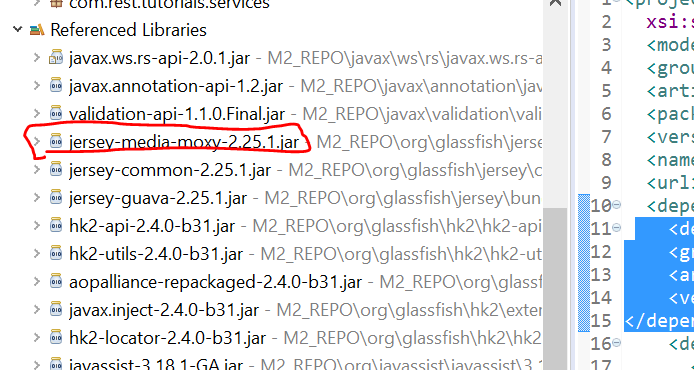
Now all you have to do is change the media type mentioned with the @Produces annotation before the methods, to JSON.
@GET
@Produces({MediaType.APPLICATION_JSON})
public List<Course> getAllCourses(@Context HttpHeaders headers)
{
	List<Course> courses = courseService.getAllCourses();
	return  courses;
}
Now this method will start returning JSON repsonse in the message body. The Moxy library takes care of converting the Java object into JSON.
